
Le Manuel
Toolkit for Setting Up a Local Network and a DIY Weather Station
This manual is aimed at the agricultural producers of the communities we deployed the Local Community Network (LCN) in. The original french version was printed and handed out to the communities as a guide to accompany the usage of the LCN. It can be viewed and downloaded here: french version of the manual (print).
Local Network / Réseau Local
Your local network (réseau local) runs on a single mini-computer called a Raspberry Pi. When you turn it on, it creates a private Wi-Fi network (without internet access!) that is accessible to everyone in your community via an Android phone. Through this private Wi-Fi network, you can access agricultural content in Kabiyè and French.
The LCN application
Welcome to your digital platform! It is designed to help you:
- get farming advice connect with others and share your knowledge and challenges on the field
- access local weather information
- sell your products at the market
Additional information: The application was implemented with the expertise of the technical team: Séti AFANOU (software), Ousia FOLI-BÉBÉ (hardware/software interface), Friederike Fröbel (coordination and management), Lutz Reiter (software), Eric Tiedt (illustrations, animations), Victoire TSAMEDI (database), Jannes Ulbrich (UI/UX design, wireframing)
Access the app
| 1) Start by connecting to the “Minodu” Wi-Fi network. | 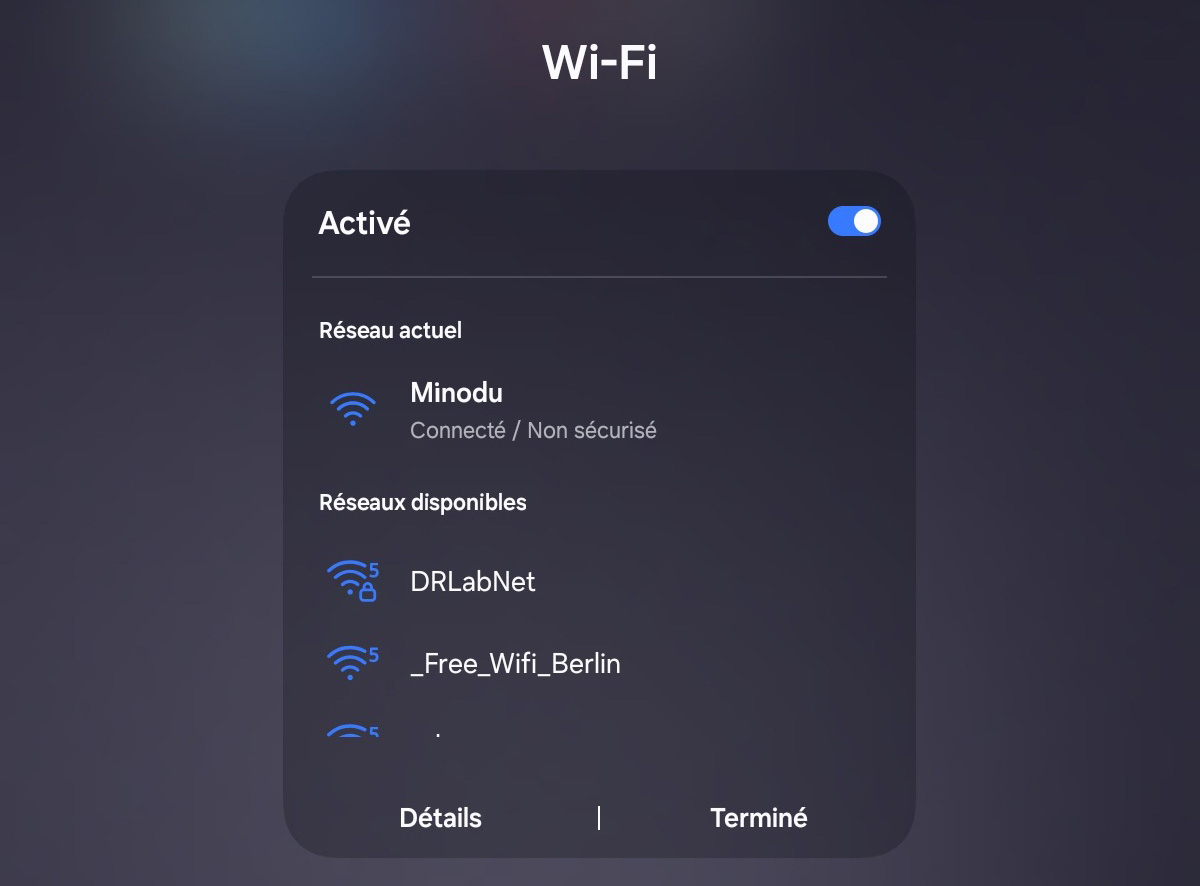 |
| 2) Open your browser and enter the address minodupi.local | 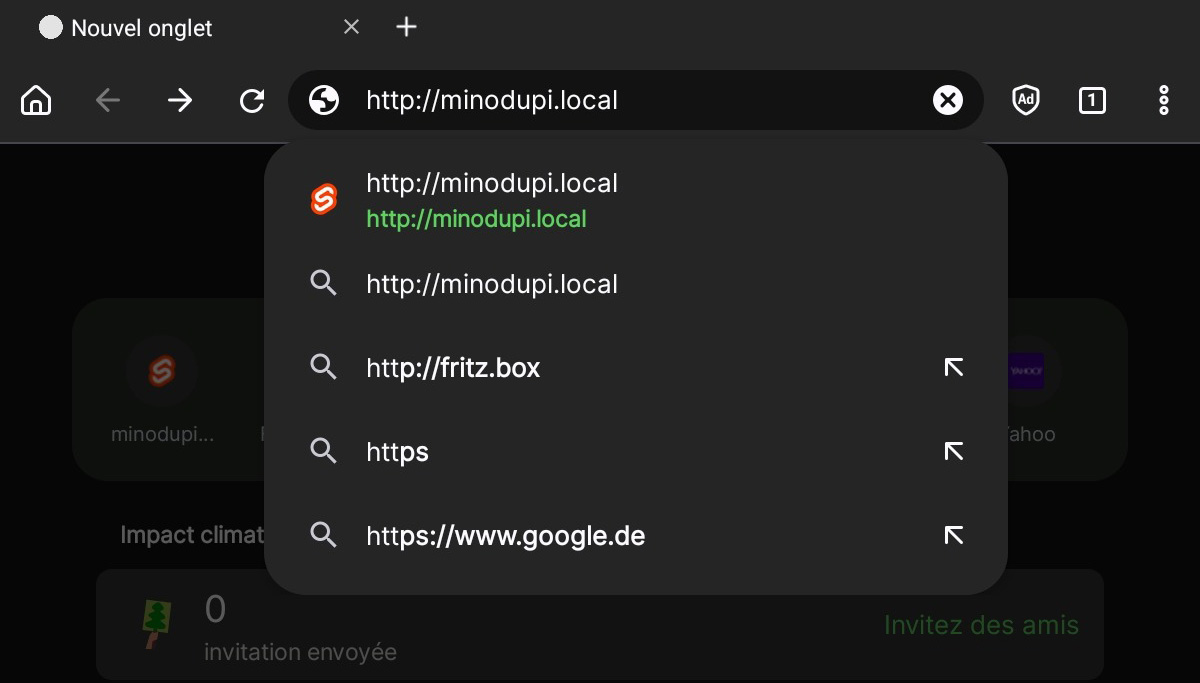 |
http://minodupi.local
Home Page
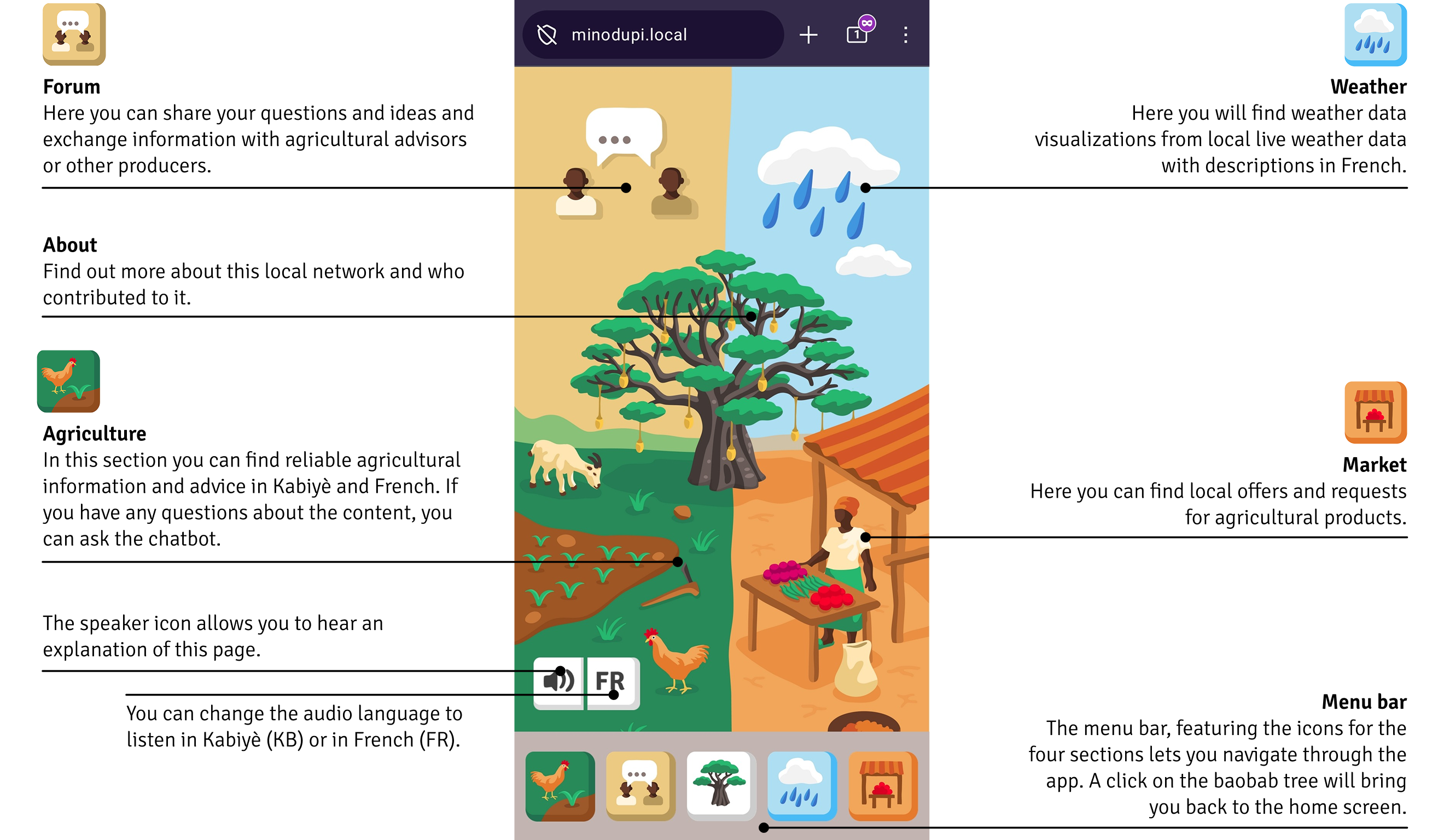
This is where you land when you launch the local network. This is the home page.
The app is divided into four sections: agriculture, market, forum, and weather.
Simply click on the section of your choice on the home screen or in the menu bar at the bottom of the interface to navigate to the selected section.
Agriculture Page
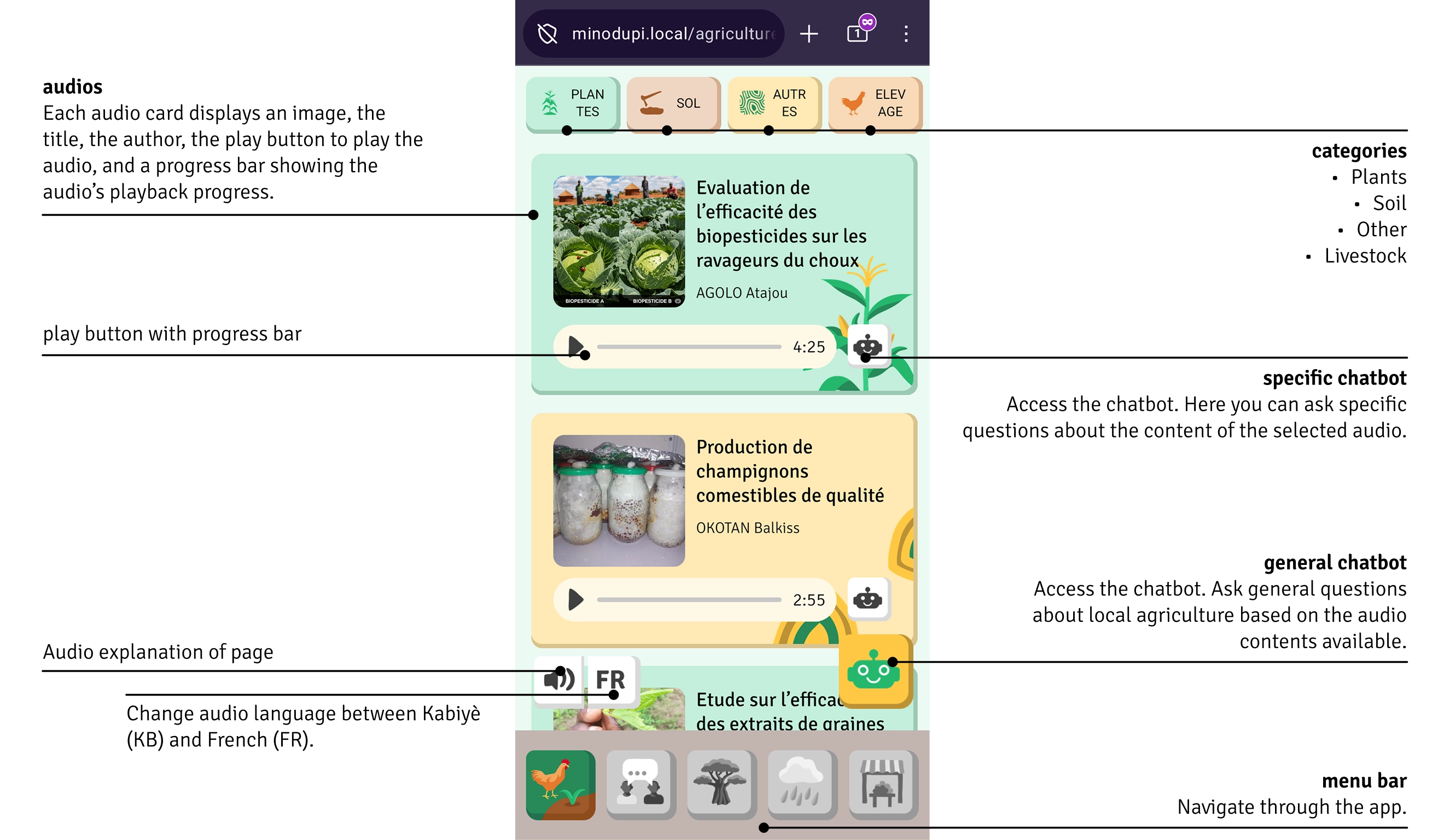
This section contains reliable agricultural information and advice, as well as a chatbot—a conversational agent—that you can use to ask questions about the content.
This includes:
- best farming practices
- advice on crops, soil conservation, and livestock farming
- innovations and sustainable techniques
Improve your yields and make better farming decisions.
How to use the agriculture page?
The audios are organized into four categories: plants, soil, livestock, and other. You can select or deselect the different categories by clicking on their icons at the top.
To access the audio files: Click the play button (small triangle) to play the audio. To pause, click the two lines that appear once you start playing the audio.
Chatbot
The chatbot can answer your questions about agriculture around the clock. It can only understand and speak French.
How to use the chatbot?
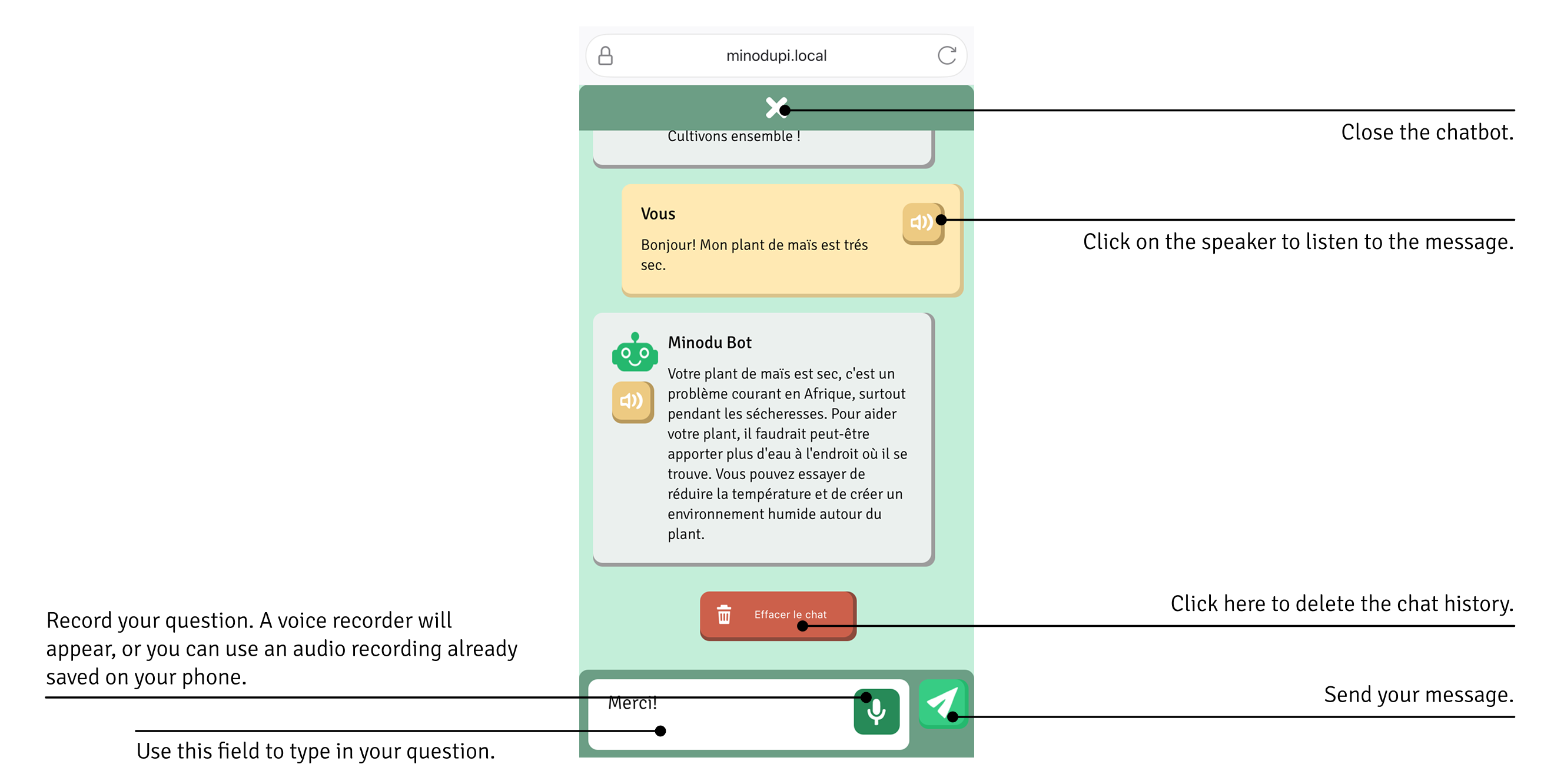
When you open the chatbot, it will greet you. To respond to the chatbot and ask your question, you have two options:
- Record an audio message by clicking the white microphone icon on a green background and speaking. Your message will be automatically transcribed into text. Note: Make sure the audio recording is no longer than 30 seconds.
- Write a message using the white field at the bottom and type your message there.
Then, click the green paper airplane icon to send your question.
Forum
Connect with the active community:
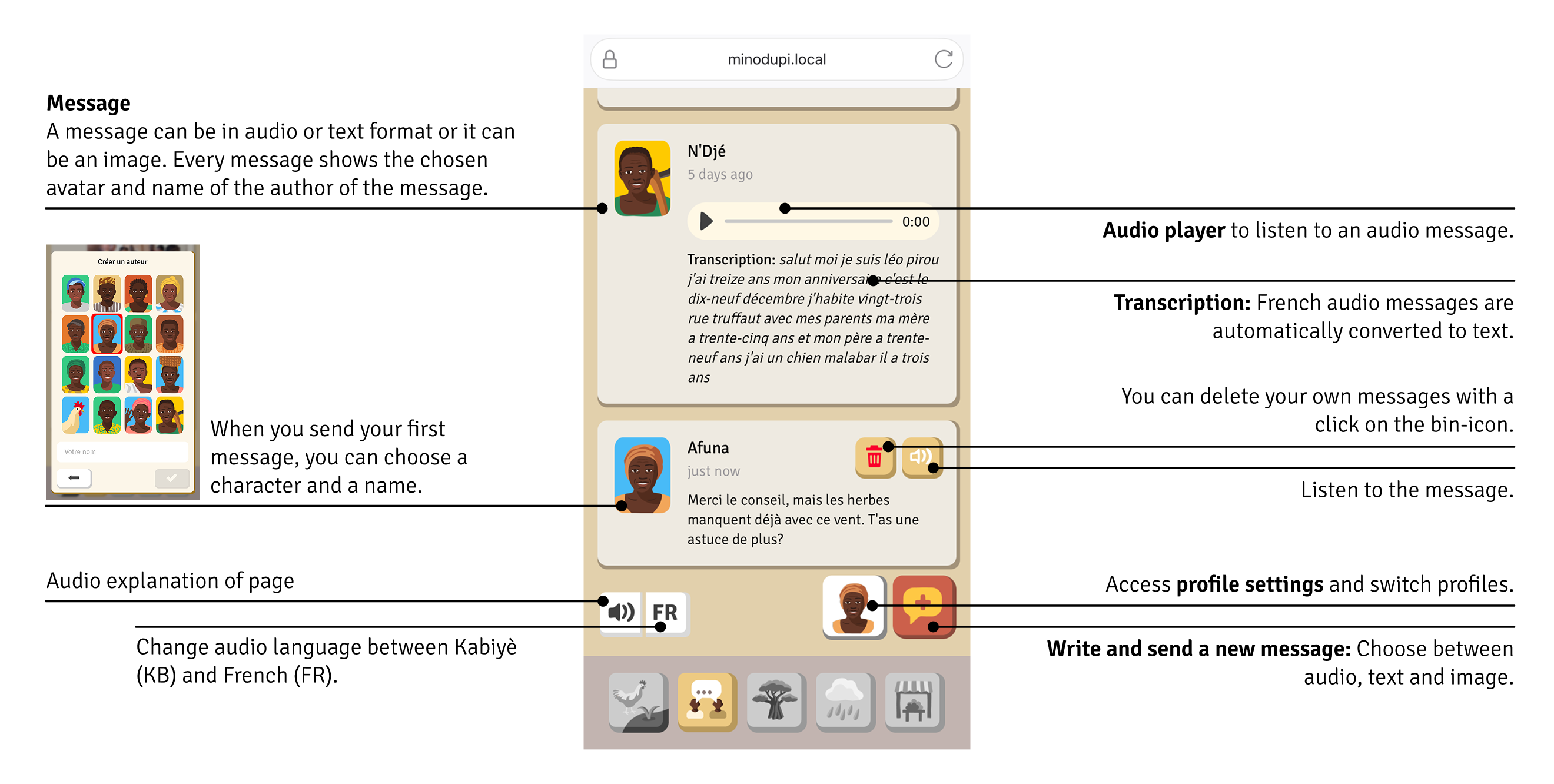
- Ask questions via text or voice message
- Share photos of issues in your fields
- Share your experiences and chat with other farmers from your community
- Discuss the challenges and opportunities facing the agricultural sector
Because agriculture thrives best when we work together. Messages can be transcribed and listened to only in French.
Weather
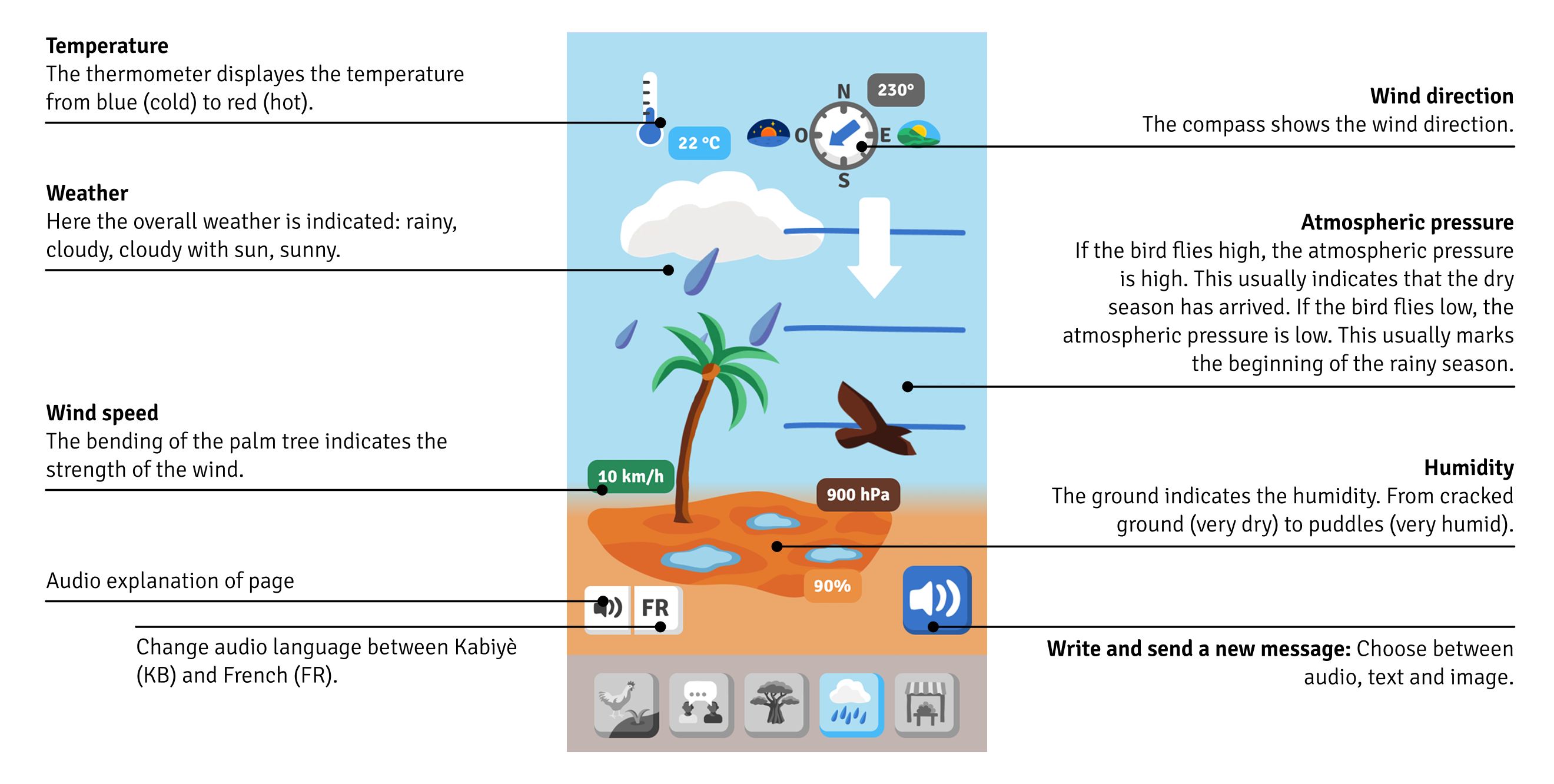
This screen visualizes local live weather data. The current weather is displayed through animations and shown in figures. The audio weather report gives you information about the current weather.
Market
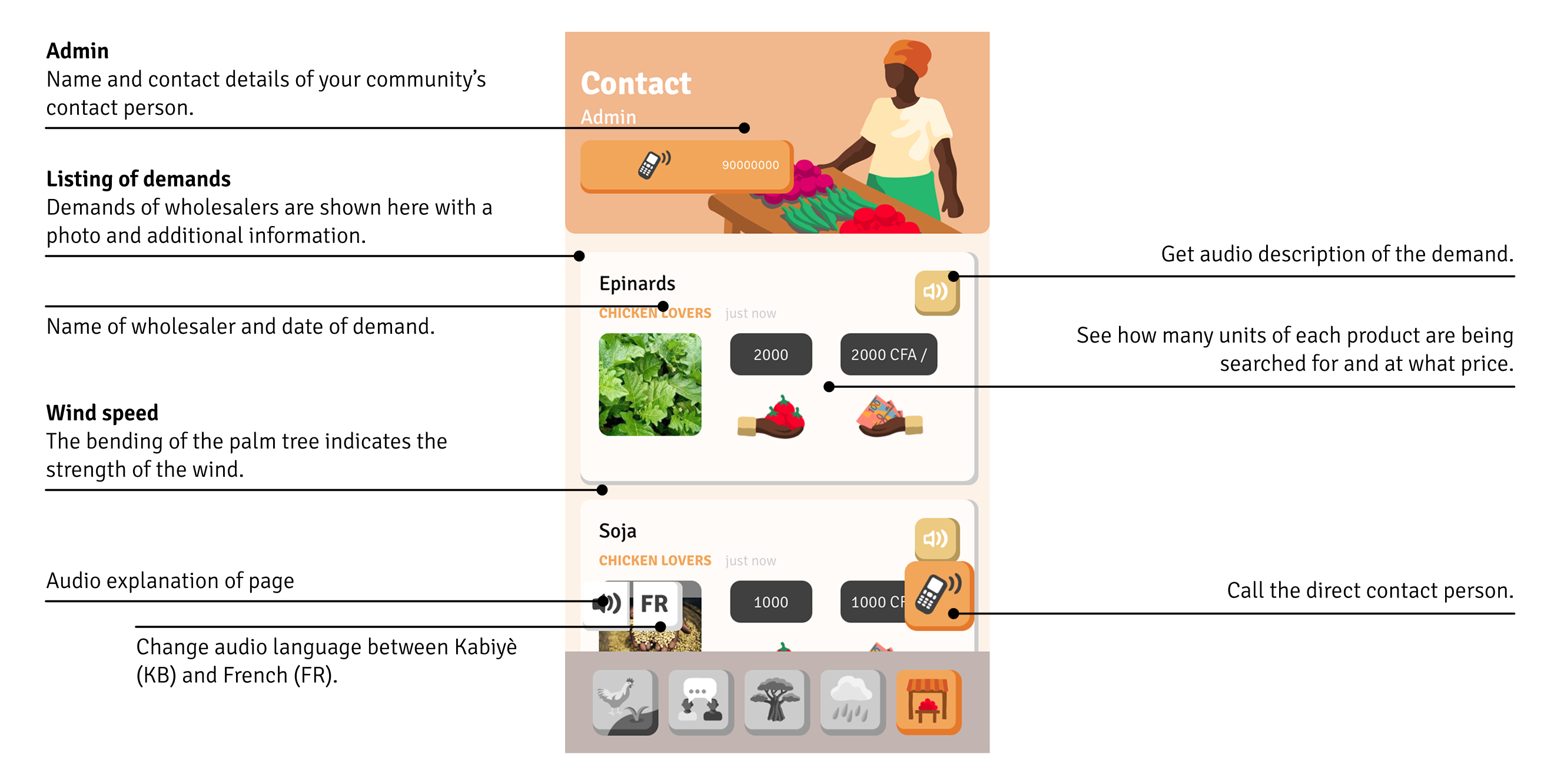
Welcome to your local digital marketplace! Here you can view various listings. The contact person in your community receives requests from wholesalers and posts them here. This way, you can see how many units of each product are in demand and at what price.
Materials
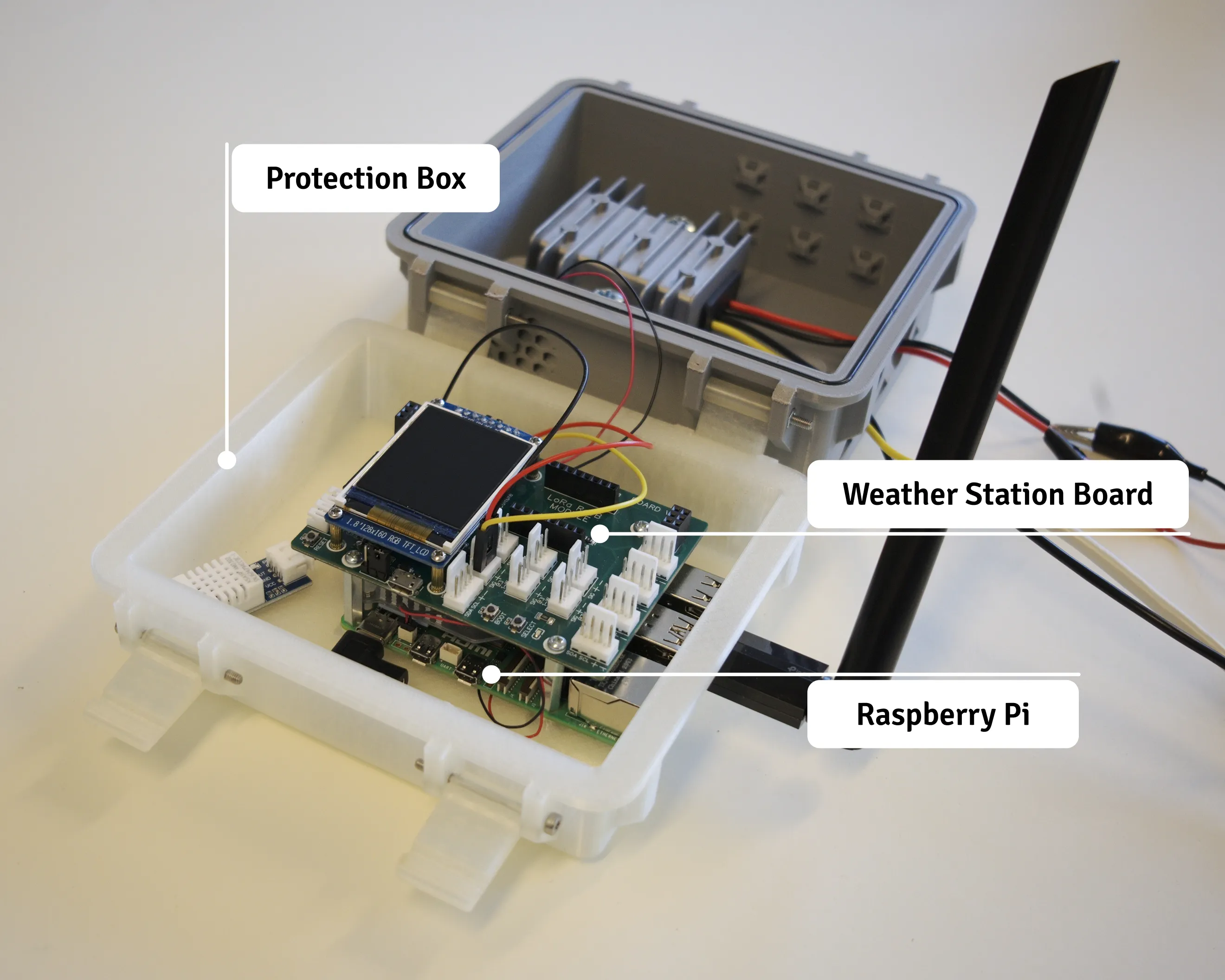
Your toolkit contains all the equipment you need to set up your local network. Here are the four main components:
The Raspberry Pi mini-computer which is at the core of the local network, the weather station board which captures temperature, humidity, rain, wind and air quality, and the 3D printed protection box which keeps the boards dry and cool (protected from dust, heat and rain).
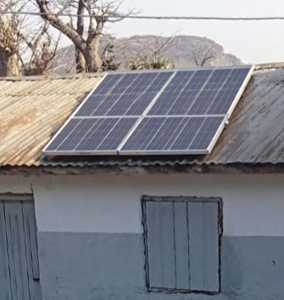
Your Local Community Network is powered by a solar panel connected to a battery for complete energy independence.
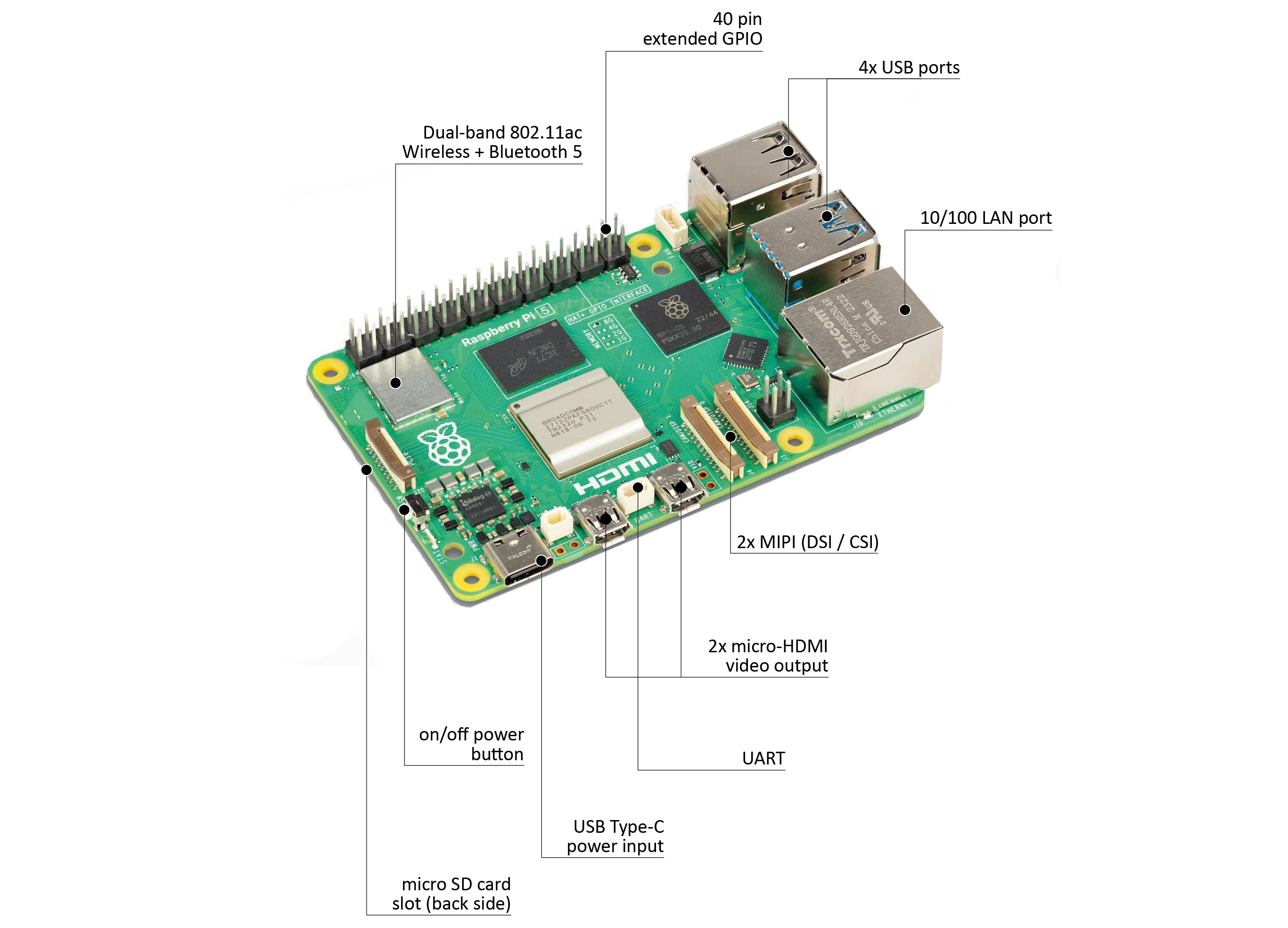
Core of the LCN: Raspberry Pi 5
The Raspberry Pi 5 is a small embedded module about the size of a credit card. It serves as the heart of your entire local network.
The Raspberry Pi is perfect for a local network because…
- it uses very little power,
- it is very compact: fits in a pocket or a small box,
- it has multiple ports for connecting all your devices: USB, HDMI for a display, SD card slot, and GPIO ports for sensors.
Additional information: The Raspberry Pi is designed to make computers, digital transformation, and innovation accessible to everyone. It can be described as a mini-computer because, once you have one, all you need to do is connect a monitor, keyboard, and mouse, and you can use it just like a regular computer.
Weather station: TeleAgriCulture Board & sensors
The TeleAgriculture board is a module to capture weather data, it has several ports to connect sensors to. The weather station’s sensors provide information on current local conditions.
| Sensor | Measures |
|---|---|
| BME 680 | Temperature in °C, Humidity in %, Atmospheric pressure in hPa |
| LTR390 | Light in lux, UV radiation |
| Multichannel Gas Sensor V2 | Nitrogen dioxide (NO₂), Carbon monoxide (CO), Ethanol (C₂H₅OH) (overall air quality) |
| DS15901 | Wind speed in m/s, wind direction in degrees |
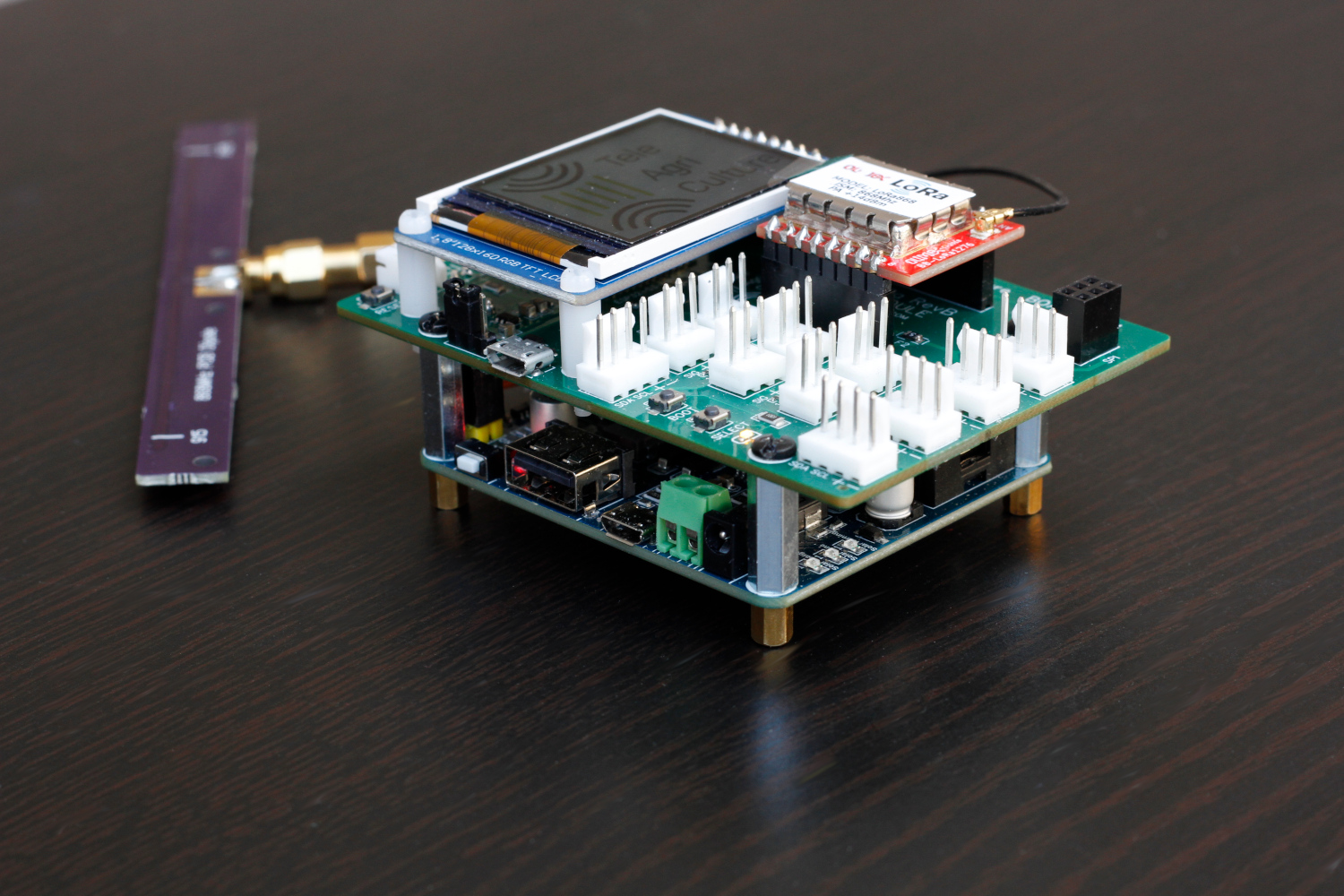
Additional information:
The station is based on the TeleAgriCulture kit. TeleAgriCulture aims to make environmental sensing technologies and data visualization tools more accessible to anyone interested in exploring the interactions between plants, animals, humans, and their environment.
Developed by Daniel Fischer and Julian Stadon, and adapted for the local network by Lutz Reiter, Ousia FOLI-BEBE, and Friederike Fröbel.
Admin panel & content management system
This admin panel is used to manage the content on the local network.
Only the administrator has access to it. Please ask your community administrator for access.
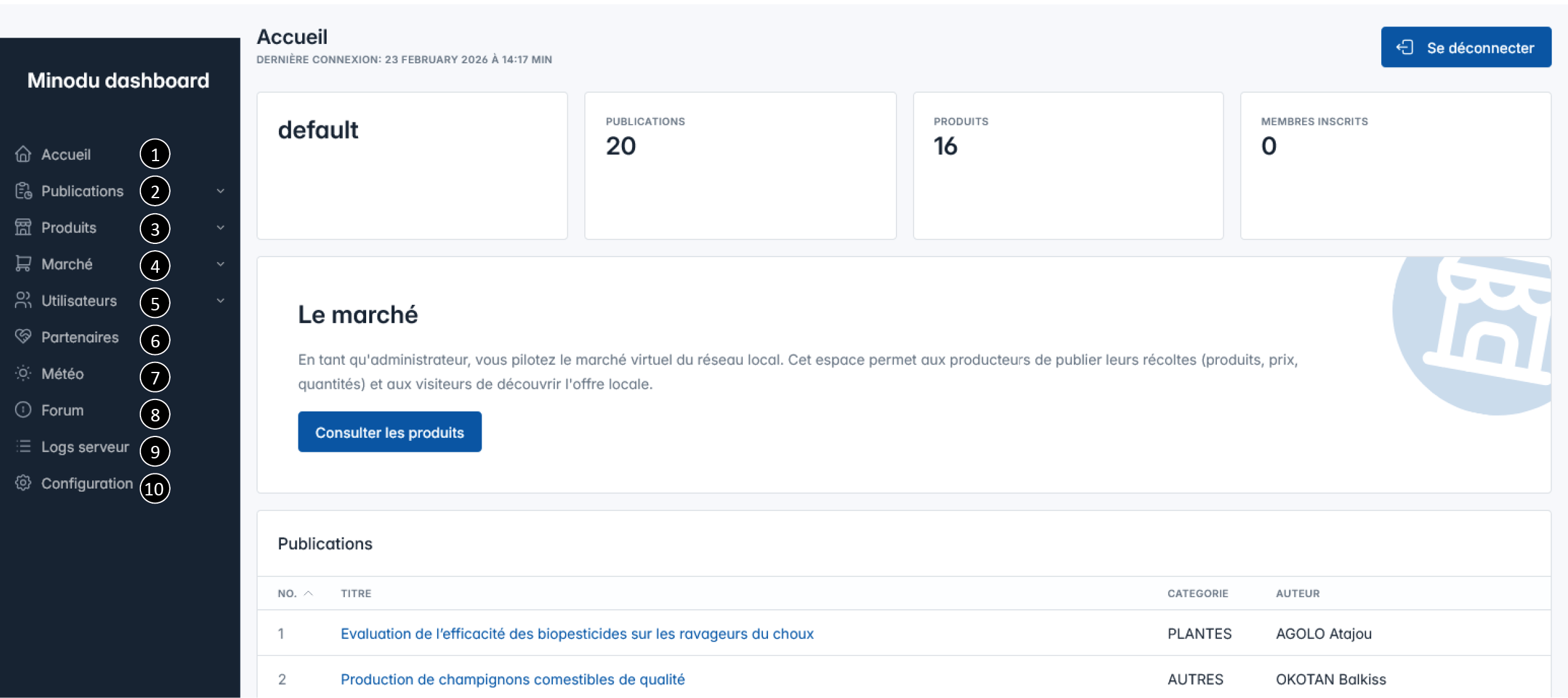
- Accueil: This page is displayed here as a preview.
- Publications: Management of audio content for the Agriculture section.
- Products: Management of products for your village’s market.
- Market: Management of products requested by wholesalers.
- Users: A list of people who have access to the CMS.
- Partners: Wholesalers are registered here.
- Weather: Weather data is available here, along with historical data.
- Forum: Manage forum discussions and posts.
- Server Logs: Access to view and manage server logs.
- Configuration: Enter the name, location, and other information about your community.
This is the user manual. For guidance for administrators and management of the system please take a look at the backoffice manual.